
AI development
AI Mux: Running Multiple Coding Agents in Parallel
How we coordinate Codex, Claude Code and up to five agents across projects and Git worktrees


Several coding agents, one pair of eyes
AI Mux began with a concrete problem. Codex and Claude Code were running at the same time across tmux tabs, custom keybindings and several terminal windows. We could no longer see which session needed attention. The real problem was managing several AI agents in the CLI at once.
We could not find a tool for this workflow, so we built one. AI Mux is a local multiplexer for existing coding-agent CLIs, projects and shells. It does not replace the agents. It organises them.
A young project with a clear interaction model
The first commit dates from 17 June 2026. AI Mux is still work in progress, not a finished product. Its interaction model became clear early: a keyboard-driven desktop interface with Control and Insert modes inspired by Vim.
AI Mux supports a classic grid and horizontally scrolling columns similar to Niri. We prefer columns for daily work. One project can sit on the left and another several columns away, which makes spatial navigation predictable.
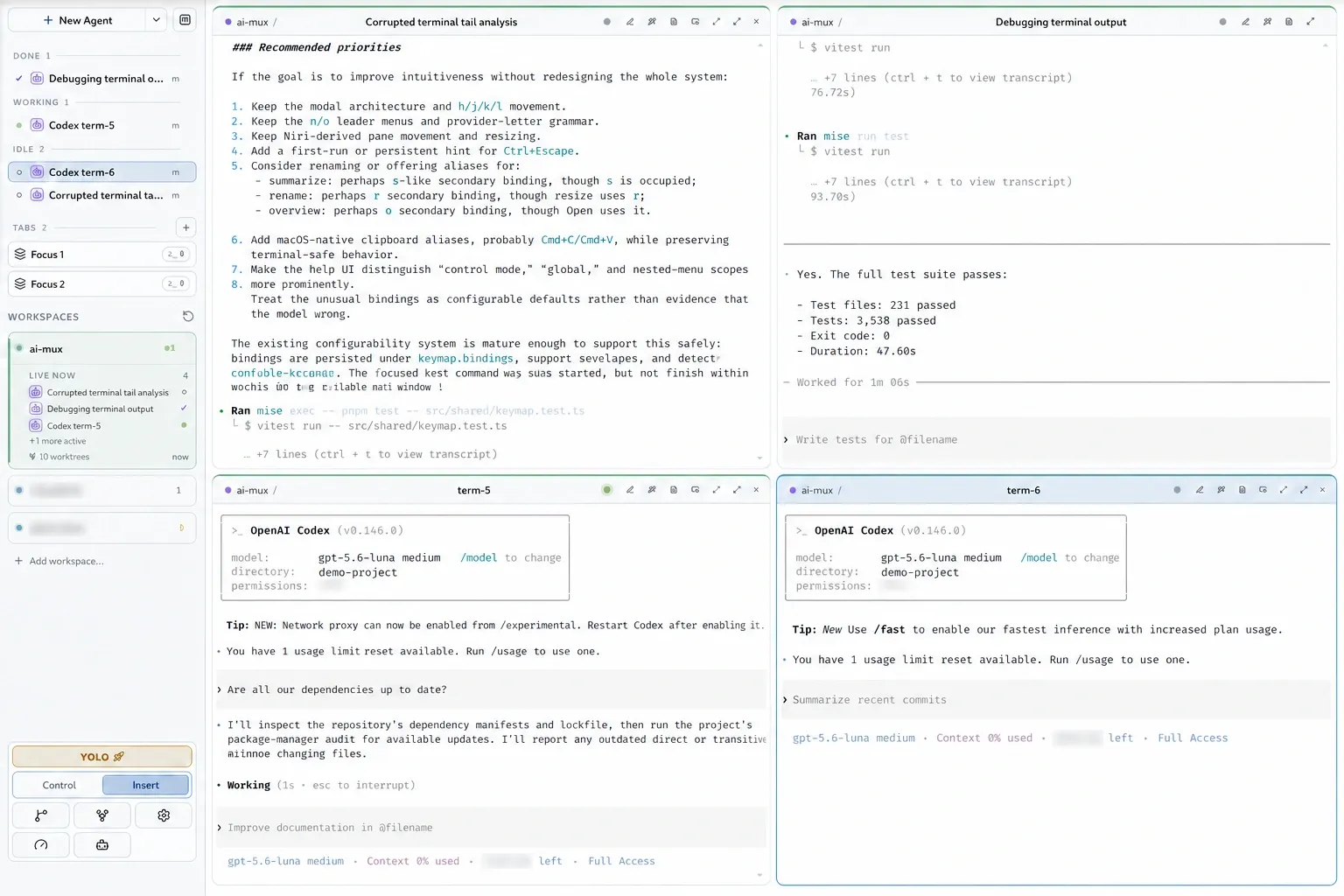
A sanitised AI Mux development session in the classic grid layout.
Codex, Claude Code and Git worktrees
Our normal workload is two or three projects with several agents running in parallel, sometimes as many as five. Feature work often runs in separate Git worktrees so agents do not edit the same checkout. The integrated worktree manager can create, inspect, open and remove those worktrees. Normal shells remain part of the interface for builds and Git commands.
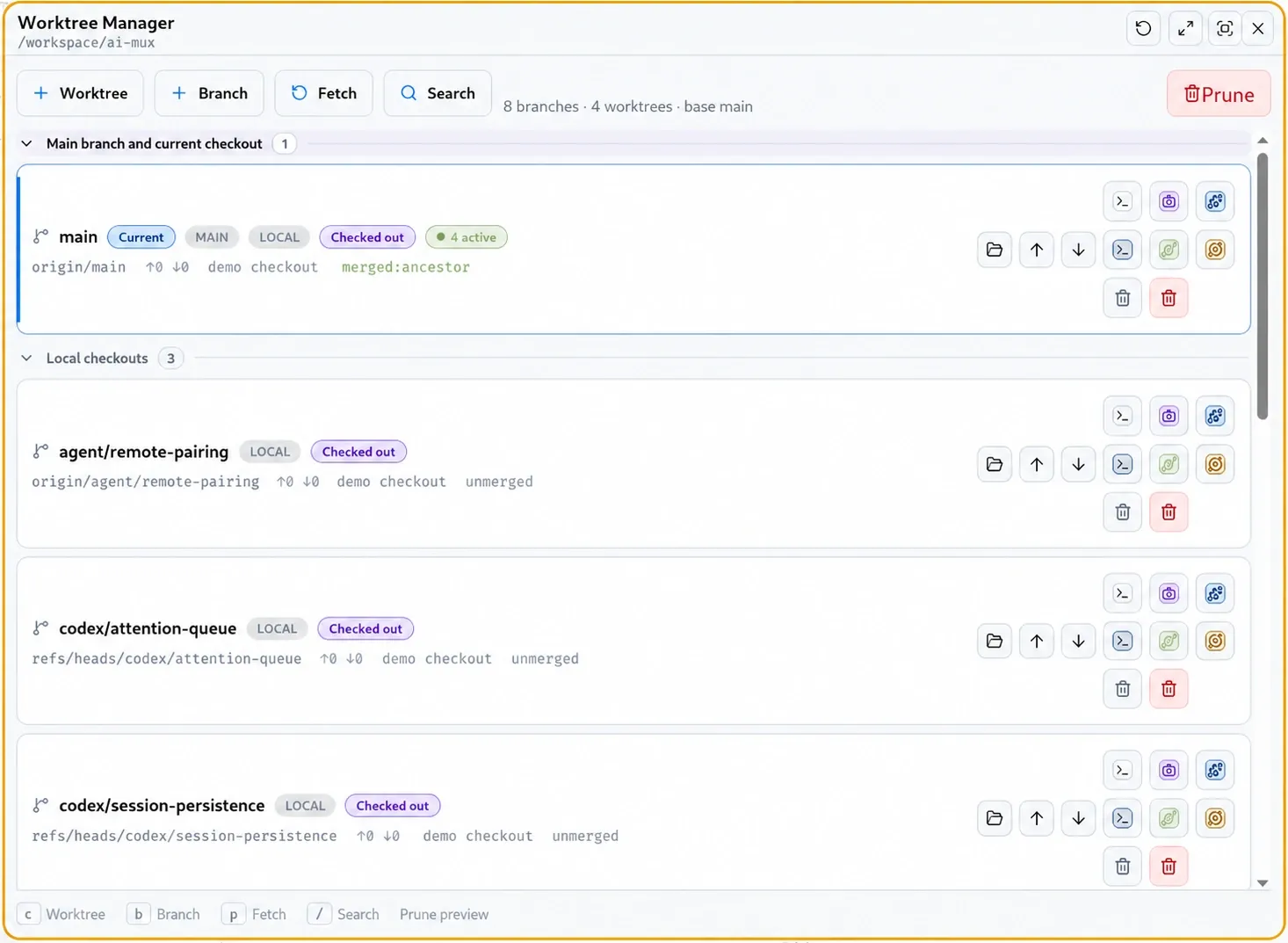
The worktree manager keeps branches, local checkouts and their main actions in one view.
Codex, Claude Code, OpenCode and Cursor share the same workspace. Codex, Claude and OpenCode can also use separate account profiles.
The most useful feature for us is the attention queue. It groups sessions into Needs you, Done, Working and Idle. Instead of checking every pane, we can see which agent needs input. Accuracy depends on each provider integration and is still improving. Terminal processes continue independently and survive a restart of the Electron interface.
AI Mux Remote
Agents keep working when we leave the desk. An optional self-hosted PWA provides remote access through a private gateway. A device is paired with a short-lived QR code or one-time code. We can then check progress, answer questions, control sessions and start new ones. The interface intentionally exposes only limited terminal context.
It is not a full remote terminal emulator. We already use it, but the integration remains the largest active technical area.
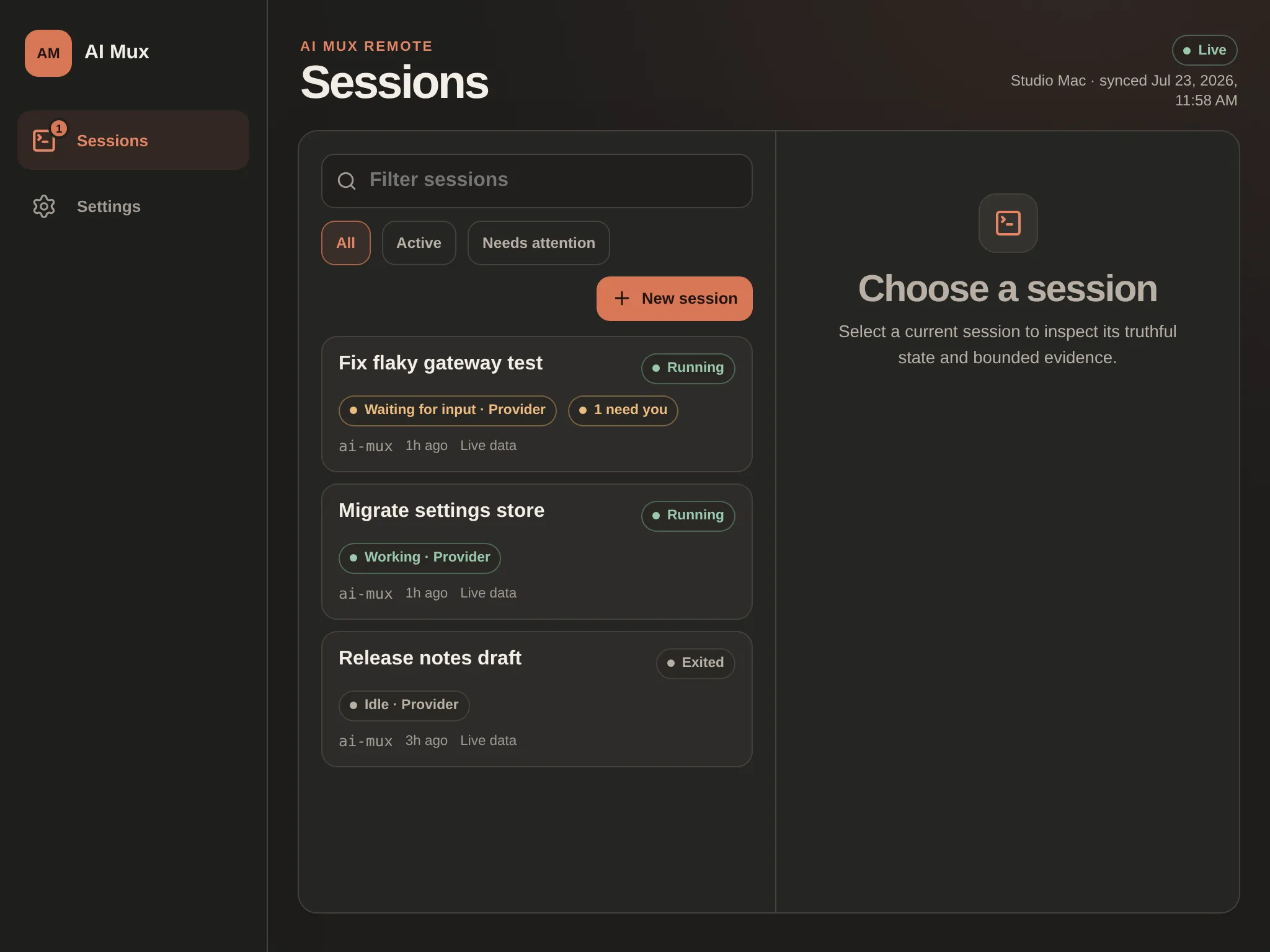
The PWA session overview contains sanitised demo content and no real project data.
Install AI Mux on Linux with APT
The current build is available for amd64 systems through our public APT repository:
sudo install -d -m 0755 /etc/apt/keyrings
curl -fsSL https://raw.githubusercontent.com/Schmidt-Embedded-Systems-GmbH/ai-mux-apt/main/ai-mux.asc \
  | sudo tee /etc/apt/keyrings/ai-mux.asc >/dev/null

sudo tee /etc/apt/sources.list.d/ai-mux.sources >/dev/null <<'EOF'
Types: deb
URIs: https://raw.githubusercontent.com/Schmidt-Embedded-Systems-GmbH/ai-mux-apt/main
Suites: stable
Components: main
Architectures: amd64
Signed-By: /etc/apt/keyrings/ai-mux.asc
EOF

sudo apt update
sudo apt install ai-mux
The repository also provides a separately installable nightly package. It documents signatures, setup and the currently published package version.
What is still missing
AI Mux has foundations for a supervisor console, MCP and CLI control, and persistent task runs. An automated meta-orchestrator is still being planned and tested. The supervisor is not a finished product either.
That is consistent with the age of the project. Account profiles cover selected providers, not all of them. Remote access needs a private setup. Some parts still feel young. We accept that because we build what we need in daily work first.
Coordination is the new bottleneck
When coding agents multiply, individual answers stop being the bottleneck. Coordination and human attention take over.
AI Mux is our focused daily tool for that problem, not a universal agent platform. The next major work is improving the PWA and finding out how much orchestration can be automated without losing control and visibility.
The same constraints apply to business processes. Our page on AI agents for knowledge and recurring work explains how data sources, tools, approvals and acceptance tests fit into one limited use case.